Switching to Mac After Two Decades of Windows
After decades as a Windows developer I switched to an Apple Silicon MacBook. Why I did it, what hurt, the tools that helped, and what I still miss.
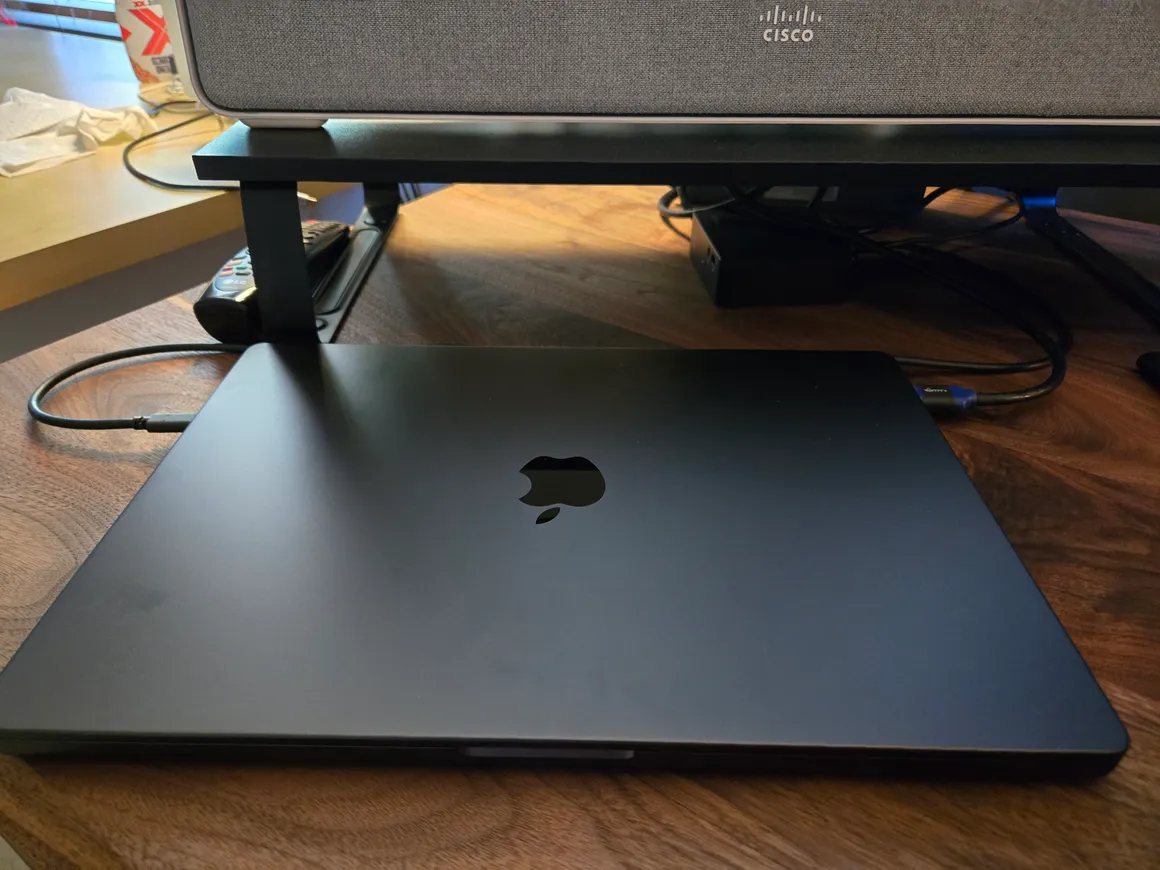
I have been a Windows person for basically my entire computing life. I built my own PCs, I defended the registry to people who did not ask, and I have opinions about which version of Windows was the best (it was 7). So the MacBook sitting on my desk right now feels a little like a betrayal.
But here we are. In October 2025 I switched to an Apple MacBook Pro M4 as my daily driver, and after living with it for a while I want to write down why I did it, what actually hurt during the transition, and whether I would do it again.
#Why now, after all these years
The honest answer is that my work drifted to a place where Windows kept getting in the way.
Almost everything I build these days ends up running on Linux. For years WSL was the bridge that made that tolerable, and credit where it is due, WSL2 is genuinely good. But it is still a Linux VM bolted onto a Windows host, and the seams show. File system performance across the boundary is rough, networking gets weird, and some tools never quite know which world they live in. On a Mac the terminal just is a Unix shell. No translation layer, no “which filesystem am I on right now” tax.
The second reason is Apple Silicon. I kept watching Mac-using coworkers close their laptops at the end of the day with 60% battery left while my Windows laptop spun its fans compiling a medium-sized project. The performance-per-watt story stopped being marketing and started being something I could see across the desk from me. I am deliberately not going to quote benchmark numbers here, but the day-to-day difference is not subtle.
The third reason is the one that finally tipped me: AI dev tooling. I spend a huge amount of my time in terminal-based agents like Claude Code, and that whole ecosystem is Unix-first. The tools work on Windows, mostly, but every setup guide, every script, every bug report assumes you have a real shell. I got tired of being the platform footnote.
#The first two weeks are genuinely bad
Nobody warns you how much of your competence is stored in your fingers.
Twenty-plus years of Ctrl+C, Ctrl+T, Alt+Tab, and Win+arrow-key window snapping do not politely step aside. For the first two weeks I felt like I was typing with someone else’s hands. Cmd instead of Ctrl is fine once it settles in, and honestly Cmd’s position under your thumb is more ergonomic. But the in-between period, where half your shortcuts fire the old muscle memory and half fire the new one, is miserable.
Window management was the bigger shock. Windows has had excellent keyboard-driven window snapping for over a decade, and macOS shipped without a real answer for most of its life. Apple has been improving native tiling recently, but out of the box it still does not match what my hands expected. Third-party tools fix this, more on that below, but “install a third-party tool to get window snapping” is a sentence that made 2015 me laugh.
And Finder. I am sorry, Mac people, but Finder is worse than Explorer. Cut and paste of files works differently, creating a new file in the current folder is not a built-in right-click action, and the default views hide information I want. I have mostly stopped fighting it by living in the terminal instead, which, to be fair, might be Apple’s plan.
#The tools that made the machine feel like mine
The stock experience is fine, but these are the things that actually made the switch stick:
- Homebrew. The first thing I installed and the reason everything else was easy.
brew installwhatever you need and move on. Windows has winget now and it has gotten decent, but Homebrew’s coverage for dev tooling is still ahead. - Raycast. Spotlight replacement, app launcher, clipboard history, window management, calculator, all in one. This is the app I would miss most if I switched back. It is the PowerToys Run experience if PowerToys Run had a full plugin ecosystem behind it.
- Ghostty. A fast, native terminal that mostly gets out of your way. The built-in Terminal.app is fine for a rescue shell, but you will want something better within a day.
- A window manager. Rectangle if you want your Windows snapping shortcuts back with minimal fuss, AeroSpace if you want to go full tiling-window-manager. Either way, install one on day one.
- Karabiner-Elements, for when a keyboard shortcut absolutely has to match your muscle memory instead of Apple’s opinion.
None of these are exotic picks. That is sort of the point. The Mac dev community has spent years sanding down the rough edges, and the paved path is well paved.
#What I actually miss from Windows
This is not a conversion story where the old platform was all bad, so in fairness:
- Window snapping without add-ons. Covered above, still annoying, still true.
- Gaming. My PC gaming happens on a desktop anyway, so this did not hit me hard, but if your laptop is your gaming machine, the Mac story is improving and still not there.
- File Explorer. Yes, really. It has tabs, it cuts and pastes files like a normal person, and I miss it.
- The hardware ecosystem. On Windows, anything with a USB plug works. On macOS, most things work, and the exceptions are always the one weird peripheral you actually need for a homelab project.
- Being able to fix the machine myself. I spent years knowing where every setting and service lived on Windows. On macOS I am back to searching for which System Settings pane Apple moved something into this year.
#Would I do it again?
Yes, and faster.
The two weeks of keyboard-shortcut purgatory were real, and I reserve the right to grumble about Finder indefinitely. But the things I do all day, running terminal-heavy dev work, juggling AI coding agents, building things that ship to Linux, are simply better on this machine. The battery life alone changed how I work; I stopped thinking about chargers the way I stopped thinking about saving documents when autosave became a thing.
If you are a developer on Windows and most of your output runs on Linux, here is the short version:
- The Unix-native environment removes a whole category of friction that WSL only papers over.
- Apple Silicon’s performance and battery life are the real deal for dev workloads.
- Budget two weeks for your hands to catch up, and install Homebrew, Raycast, and a window manager on day one.
If you have made the same switch, or made it in the other direction, I would genuinely like to hear what surprised you. And if you are a lifelong Windows person feeling defensive right now, I get it. I was you in September.