Running Fiber Upstairs for a 10 Gig Homelab Link
How I ran pre-terminated OS2 fiber from my router to my upstairs homelab, why I picked fiber over Cat6, and what I learned pulling it through the walls.
Ever since T-Mobile Fiber showed up at my house back in August, there’s been one problem gnawing at me. The fiber terminates downstairs, and my homelab lives upstairs.
For months the lab was connected over a link that was, to put it charitably, not doing the internet connection justice. Multi-gig service coming into the house, and my servers upstairs sipping it through a straw. So one weekend in February I finally fixed it the fun way: I ran a fiber optic cable through the house.
#Why fiber instead of just pulling Cat6
The obvious answer to “I need a wired run upstairs” is Cat6. It’s cheap, it’s everywhere, and any switch on the planet has RJ45 ports. I almost did it. Here’s why I didn’t.
Copper tops out faster than you think. Cat6 does 10GBASE-T, but only up to about 55 meters and only if the run is clean. 10G over copper also runs hot, and 10GBASE-T transceivers and NICs pull noticeably more power than their fiber equivalents. If I ever want to go past 10 gig, that copper run becomes a wall.
Fiber doesn’t care about interference. The path from my router area to the upstairs office passes near electrical wiring, and glass is completely immune to EMI. No crosstalk, no grounding questions, no wondering if the run parallel to a romex cable is why my link is flapping.
It’s absurdly future-proof. The same strand of single-mode fiber that does 10G today will do 25G, 40G, or 100G later. You swap the transceivers on each end, not the cable in the wall. Pulling cable through walls is the miserable part of this whole project, and I only ever want to do it once.
The honest downside is cost and fragility. You need SFP+ ports or media converters on both ends, and fiber connectors do not appreciate being yanked through a stud bay. More on that below.
#OS2 single-mode, pre-terminated, because I know my limits
Two decisions up front: what kind of fiber, and who terminates it.
I went with OS2 single-mode over OM3/OM4 multimode. Multimode is the traditional “short runs inside a building” choice, but single-mode transceivers have gotten cheap enough that the old price argument barely exists anymore. Single-mode has effectively unlimited headroom at residential distances, and it’s what the long-term upgrade path (25G and beyond) prefers anyway. For a run somewhere in the 50 to 100 foot range, either would have worked fine. I picked the one I’d never have to think about again.
For termination, I bought a pre-terminated LC duplex patch cable rather than field-terminating my own. Field termination means a fusion splicer or mechanical connectors, a fiber cleaver, and skills I do not have. A pre-terminated cable means measuring the route, adding generous slack, and ordering the next length up. The catch is you have to pull the connectors through the wall with the cable, which is where pulling eyes and protective sleeves come in.
I also made sure to get a cable with a reasonably tough jacket. Bare 2mm zipcord is fine in a rack, but for an in-wall run you want something more armored, or at least run inside conduit or smurf tube so future-you can pull a replacement.
#The hardware on each end
Nothing exotic here. On the downstairs end, the fiber plugs into an SFP+ port near the router. On the upstairs end, it lands in a small switch with SFP+ cages that feeds the homelab. Two 10G LC single-mode transceivers (the 10GBASE-LR flavor, since this is single-mode) complete the link.
A few notes if you’re speccing this yourself:
- If your router or switch has no SFP+ cage, a cheap fiber media converter works, but a small multi-gig switch with a couple of SFP+ ports is usually only slightly more money and far more useful.
- Transceiver compatibility is a real thing. Some vendors are picky about third-party optics, so buy transceivers coded for your gear, or from a vendor that will code them for you.
- BiDi transceivers exist that run both directions over a single strand. I ran duplex anyway, because two strands means a spare if one ever fails.
#Pulling glass through walls without breaking it
This was the part I was actually nervous about. Fiber has a minimum bend radius, and while modern bend-insensitive fiber is more forgiving than its reputation, the connectors are still the weak point. A cracked ferrule at the end of an in-wall run is a bad afternoon.
My route went from the router area up through a wall cavity and across to the office. The general playbook:
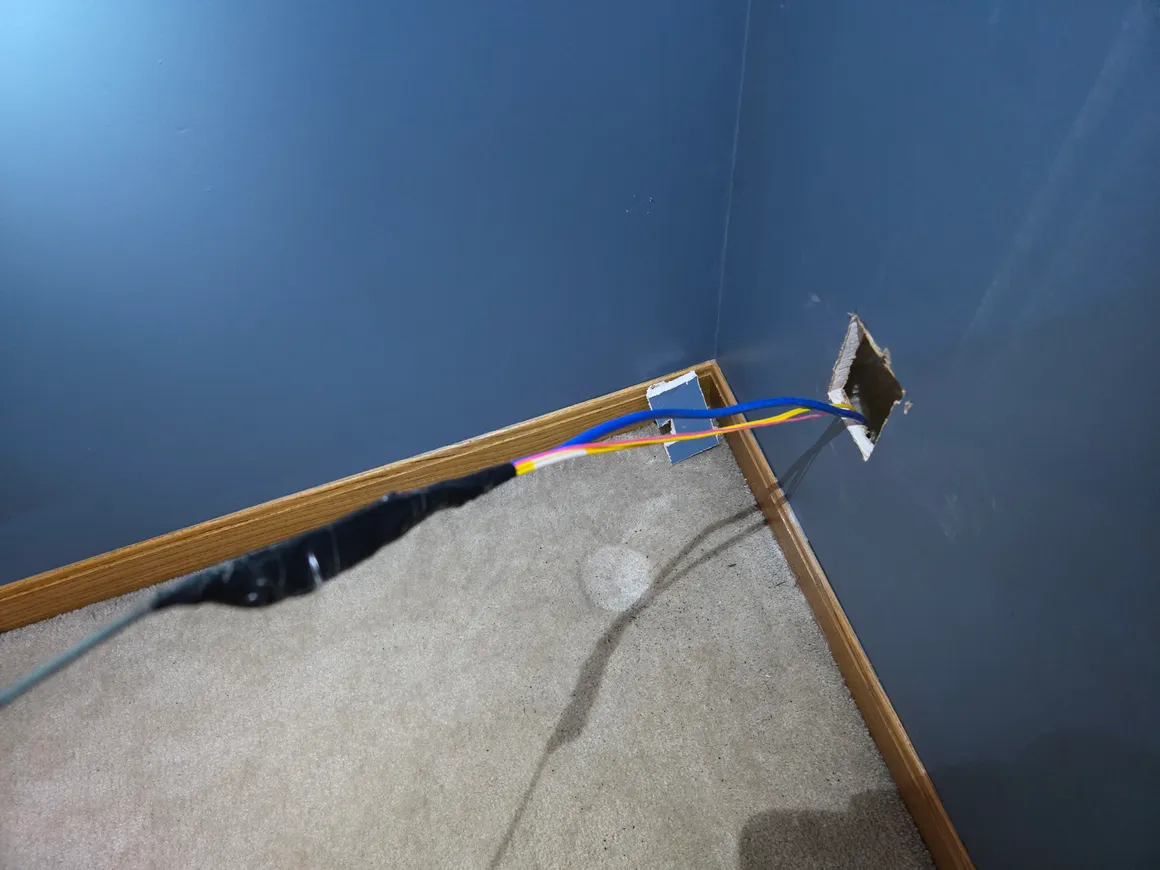
- Protect the connectors. The pre-terminated ends went inside a protective pulling sock, taped smooth so nothing could snag. Some cables ship with a pulling eye pre-installed, which is worth the extra couple dollars.
- Pull on the sock, never the cable. All the tension goes to the pulling gear, zero to the connectors or the fiber itself.
- Fish rods and patience. A fiberglass fish rod kit did most of the work through the wall cavity. Every time the cable stopped moving, I went and looked instead of pulling harder. Fiber punishes the “just yank it” instinct.
- Respect the bend radius. No sharp 90s. Where the cable turns, it turns in a lazy curve. The rule of thumb is a minimum radius of about 10x the cable diameter under no tension, and more while pulling.
- Leave slack loops at both ends. A few feet coiled at each end means I can re-route, re-land, or recover from a damaged connector without touching the in-wall section.
Total damage: a couple of holes to patch, one trip into a very cramped space I’d rather not repeat, and zero broken connectors.
#Lighting it up and testing the link
The moment of truth is anticlimactic in the best way. Transceivers in, LC connectors clicked home (after cleaning them, always clean fiber ends before mating), and both link lights came up at 10G on the first try.
Verification was a two-step process. First, check that both sides actually negotiated 10G and that the transceivers report sane optics stats, receive power in particular. Weak RX power usually means a dirty connector or an overtightened bend somewhere. Mine looked healthy.
Second, iperf3 between a downstairs machine and an upstairs server. The link moved traffic at line rate, which means the upstairs lab now talks to the router as fast as the router can talk to it. File transfers to the NAS that used to be “go make coffee” operations are now over before I’ve alt-tabbed away.
Was 10 gig to a homelab strictly necessary? No. Is watching an iperf3 run saturate a link you pulled through your own walls deeply satisfying? Extremely.
#Takeaways if you’re considering this
- Pre-terminated OS2 single-mode with LC connectors is the sane residential choice. Skip field termination unless you already own a splicer.
- The cable pull is the whole project. Protect the connectors, pull gently, respect the bend radius, and leave slack.
- Fiber in the wall means the cable is never the bottleneck again. Future speed bumps are a transceiver swap, not another weekend in the attic.
Next up is putting this link to work: the current state of the homelab has a few services that are about to get a lot happier. If you’ve run fiber through your own house and found a better way to protect connectors during the pull, I’d genuinely like to hear it.